Live Row Tracker — Never Lose Your Place in a Crochet Pattern
Every crocheter knows the feeling. You look up from your chart to answer a question, sip a tea, glance at a dog walking past — and when you look back, the row you were on has vanished into the grid. The five seconds you spent away cost you a whole minute of squinting and counting. Multiply that by every break in a 50-row blanket and you have lost an hour. The Live Row Tracker is the tool that fixes that — in your browser, free, with no signup, and it works on patterns you didn't generate on CrochetPop too.
Free · no signup · works on patterns from anywhere
The lost-row problem
Most "pattern generators" hand you a static chart and a PDF, then leave you alone with paper and a pencil. The chart freezes the design at a moment in time. Once it's printed it can't remember anything about your progress — not which row you finished last night, not whether the next color change is in two stitches or twenty, not which devices you opened it on.
A printed pattern has its place. But for a 40×40 SC (single crochet) pixel blanket, where a single row is 40 stitches and the wrong color on stitch 31 means frogging the entire row, "remember where I was" is the single biggest help a tool can offer. CrochetPop's Live Row Tracker is that help: a browser-only, fully interactive view that highlights your current row, lets you tap stitch counters as you go, and auto-saves your place so you can crochet for a few minutes on the bus, close the tab, and pick up exactly where you stopped on the sofa that evening.
What the Live Row Tracker actually does
The tracker is the screen that opens when you click Open Live Row Tracker on any pattern page. Under the hood it's a single React component, UnifiedWorkView, that adapts to the technique of whatever pattern you point it at. Here's what it gives you:
- Current-row spotlight. The row you're working on is shown front and center with its full instruction text — turning chains, stitch counts, color changes — in plain language above the chart.
- Bookmark sliders. A row slider lets you jump anywhere; a separate stitch slider (when the construction supports per-stitch tracking, like SC pixel or filet) lets you mark the exact stitch where you put the project down mid-row.
- "Row done" button + undo. Tap to advance, tap undo if you marked one early. Completed rows show as filled; remaining rows show empty. A progress bar gives you the percent-complete at a glance.
- Auto-save with a timestamp pill. A green dot says "saved 2 minutes ago" so you know your place is preserved even if your laptop dies. Saved-design auto-save (shipped May 2026) means even half-finished work survives a browser crash.
- Collapsible chart. The full chart is one tap below the current-row text. For filet patterns where the chart IS the pattern, it opens by default; for written row-based patterns, it stays closed until you want it.
- Yarn estimate (per color). When the pattern has color data, the tracker shows yards-remaining per color based on the actual cells you have left, not a flat fraction across all colors.
- Print fallback. A Print button calls the browser's native print dialog. The print stylesheet hides all the interactive controls and renders the full row-by-row instruction list, so you can keep a paper backup in your yarn bag.
- Multi-part support. Amigurumi patterns with separate head/body/limbs use
MultiPieceWorkView, which is the same tracker concept extended across parts — each part has its own progress that persists independently.
It runs entirely client-side. There is no account, no server-stored progress, no "log in to continue." Your place is saved in your browser's local storage. The flip side, honestly, is that it is browser-local: closing Chrome on your laptop doesn't sync to your phone's Safari. We'll come back to that limitation in the "what doesn't work" section.
How to open it (three entry points)
The Live Row Tracker lives at /patterns/<id>/work and on three different doorways depending on where your pattern came from.
Entry 1 — a pre-made pattern from /patterns
Browse to /patterns, pick any motif, blanket, or amigurumi. On the pattern detail page, in the action row right under the chart, click the orange Open Live Row Tracker button (icon: phone). The tracker opens with the pattern pre-loaded.
Examples ready to try:
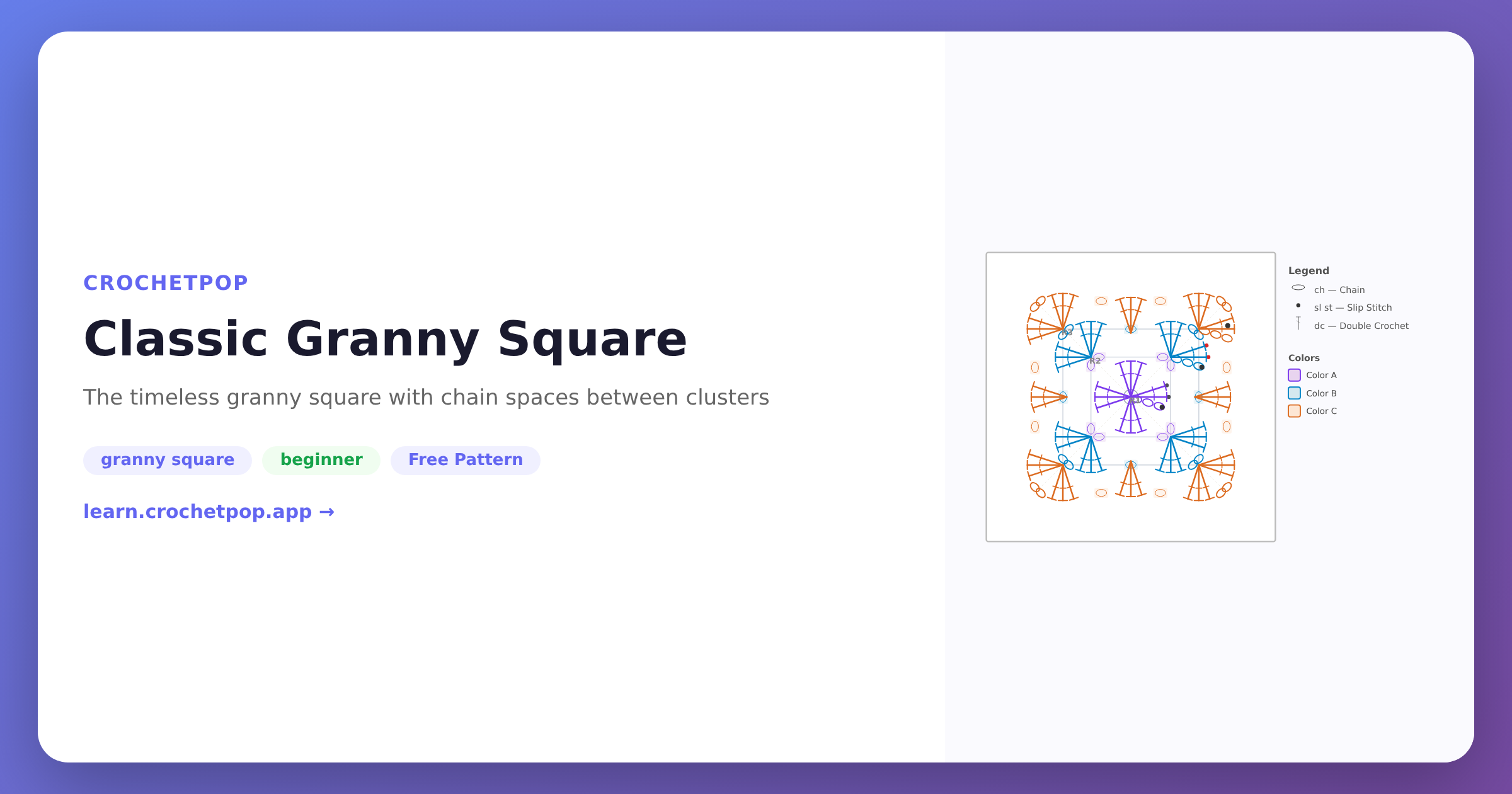
- Classic granny square — a 5-round beginner motif. The tracker shows each round's instruction with the corner-join shown above the chart.
- Sunburst granny square — a 4-round multi-color motif with a textured center.
- Tabby cat amigurumi — a multi-part pattern that opens in
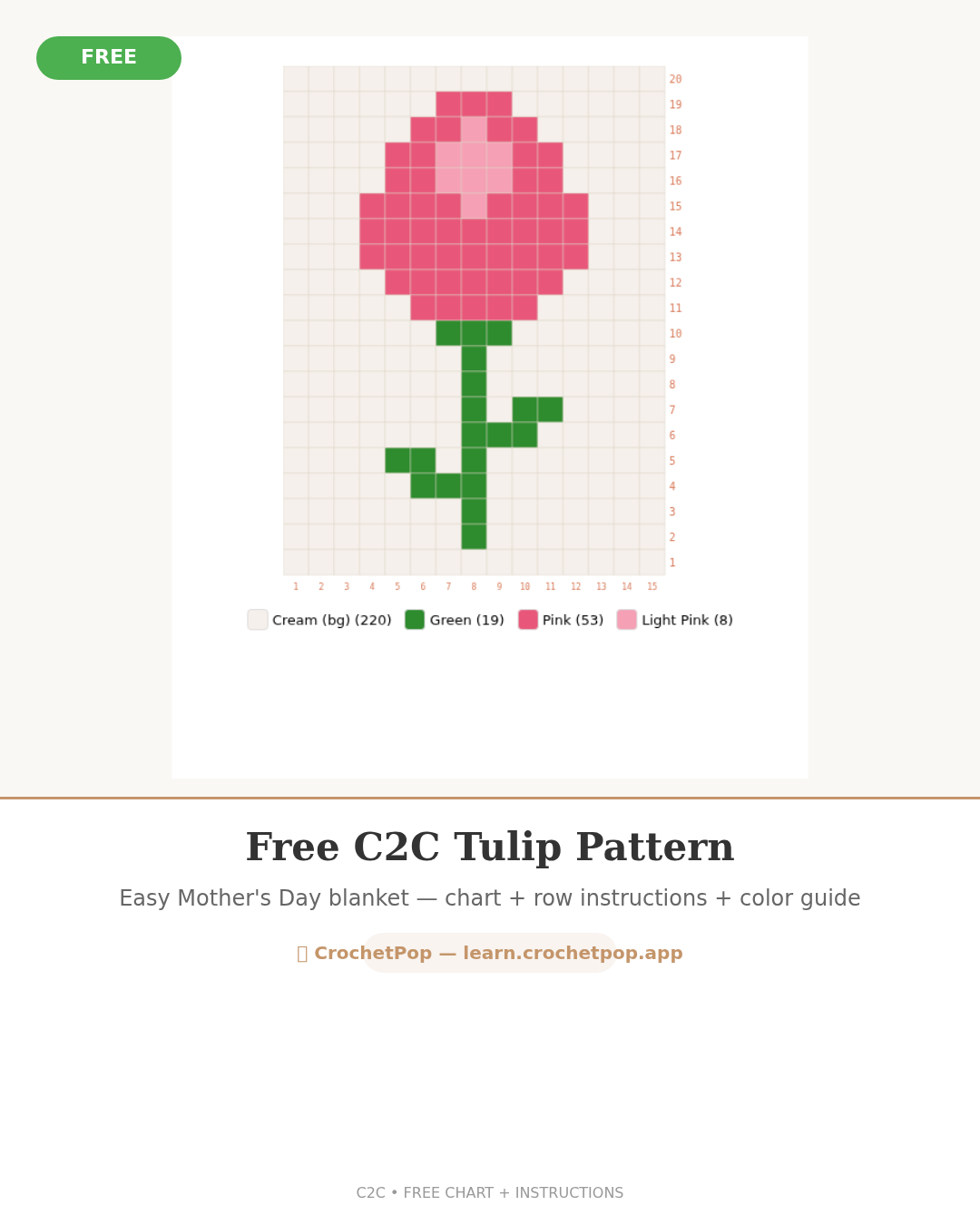
MultiPieceWorkViewwith one tracker per body part. - Tulip C2C blanket preset — a baby-blanket-sized C2C (corner-to-corner) project where the tracker handles the diagonal row direction automatically.
Entry 2 — your own design from /design or /blanket
Make something custom on /design (upload a photo, paint a grid, pick a construction) or /blanket (start from a finished blanket size). When the editor saves your design, the resulting plan page has an Open Live Row Tracker CTA that hands the pattern straight into the same tracker.
Entry 3 — an external pattern from /track
This is the unique-vs-competitors angle. Go to /track. The "Add external pattern" section gives you three ways to bring a pattern in:
- Image → SC pixel chart. Upload a chart image (a screenshot of someone else's grid, a hand-drawn graph paper photo, a Pinterest pin). The image quantizer reduces it to a palette and produces an editable SC pixel grid, then drops you into the tracker. Best when the source IS a pixel chart — it doesn't yet understand stitch symbols.
- Manual grid. Paint a grid by hand (up to 80×80) with a palette of up to 8 colors. Useful when you're following a paper chart and want to type it in once, then track row by row.
- Paste row text. Paste row-by-row written instructions ("Row 1: ch 41, dc in 4th ch from hook…"). The parser strips a leading "Foundation:" or "Ch N" line and turns the rest into one tracked row per line. This is the easiest path for written patterns from a magazine, a Ravelry PDF you typed out, or a free pattern blog.
All three paths land you in the same tracker, with the same auto-save, the same row/stitch sliders, the same print fallback. The pattern lives in "My Projects" on /track so you can come back to it later — even after months — and the slider remembers exactly where you stopped.
Why this beats a PDF
PDFs are great. They're portable, printable, and won't lose your work if the wifi dies. The problem is they don't track anything. Specifically:
- A PDF doesn't remember where you stopped. You scribble a star next to Row 23 in the margin. Six rows later, you flip back to find it and the star isn't there anymore. The tracker stores the row + stitch position automatically.
- A PDF doesn't handle stitch counts. A 100×100 C2C row has 100 different blocks. If you tap out mid-row, you're recounting. The tracker's per-row stitch slider lets you mark "I stopped on stitch 67."
- A PDF doesn't cross devices, even though it lives in cloud storage. You can open the same PDF on three devices, but each one shows the same static page — no awareness of which row you crocheted on which device. The tracker auto-saves your place on every device you open the project on (within the same browser; cross-device sync is on the roadmap).
- A PDF doesn't recalculate yarn. The amount of yarn you have left depends on which rows are still unworked. The tracker recalculates that estimate per color as you mark rows done.
Compare this to the closest competitors. Stitch Fiddle exports a clean PDF chart — no interactive tracker. Cromu has a stitch counter inside its native iOS/Android app, which is closer in spirit but requires installing an app. Pixa exports a static colored grid. None of them currently let you bring an arbitrary external pattern (paste text, upload image, paint a grid) and track it row by row in the browser, the way /track does. That's the wedge: every other tool is a chart maker; ours is a chart maker plus a row-by-row crocheting companion that works on charts you brought from anywhere. We took the side-by-side comparison seriously — it stays honest, and the row-tracker gap is a real one.
What works today, and what doesn't (the honest version)
We try not to oversell. Here is what is shipped and what is not.
Shipped and working:
- SC pixel — row-by-row tracking with per-stitch slider, color legend, per-color yarn estimate.
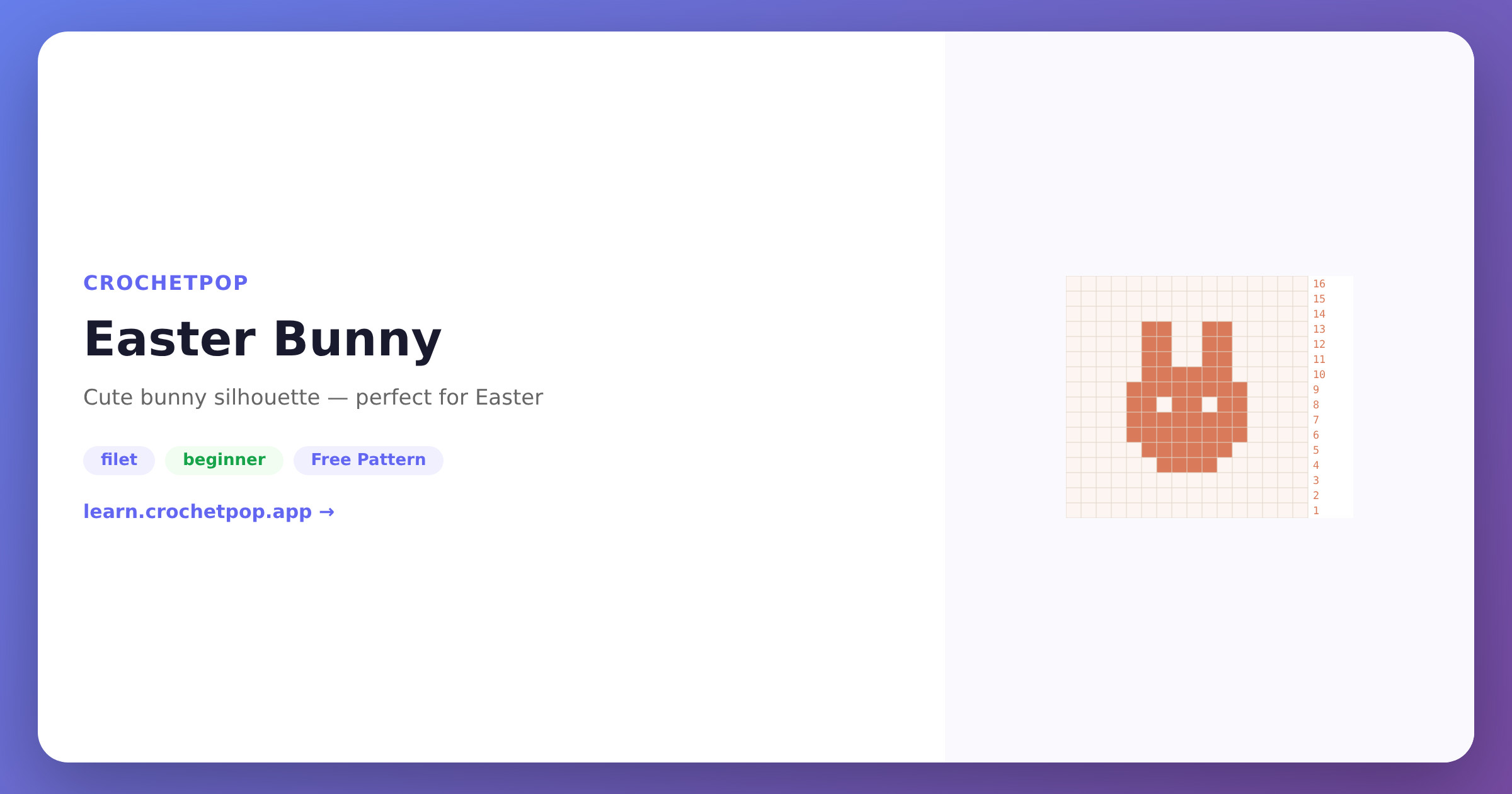
- Filet — block/space row tracker with the chart open by default (because the chart IS the pattern).
- C2C (corner-to-corner) — diagonal-aware row labels and instruction text.
- Granny pixel — DC-gauge cells, per-row instruction text.
- Motifs (granny squares, hexagons, sunburst, African flower) — round-by-round.
- Multi-part amigurumi — separate tracker per part, via
MultiPieceWorkView. - External text patterns — paste row instructions, get a tracker.
- External chart images — upload a pixel-chart image, get an editable grid and tracker (image quantizer pass).
- Hand-painted manual grids — paint your own up to 80×80 in 8 colors.
- Persistent state — close the tab, come back tomorrow, the slider is still on the row you left.
- Mobile responsive — works on iOS Safari, Android Chrome. No app install.
- Print backup — the same view prints out a clean row-by-row sheet via
window.print().
Not yet shipped (be honest with yourself before relying on these):
- Importing arbitrary PDF patterns. Phase 2 of the tracker plan is to parse a PDF you upload (so you don't have to retype it). It is not built yet. For now the workaround is the paste-text path on /track.
- Parsing a photographed stitch-symbol chart. Phase 3 is OCR-style chart parsing for traditional symbol charts (those with little T's and circles instead of pixel colors). Not yet built. The image upload path on /track handles pixel charts, not symbol charts.
- Cross-device sync. Your progress is saved in the browser you're using. A future signed-in mode would let your phone and laptop share state. Today the workaround is to open the project in one browser at a time, or to use the Export project button and re-import on the other device.
- Spanish / other-language UI. EN and ZH are the supported languages today. Spanish is on the roadmap (Phase 4 of the tracker plan) because the demand from granny square learners specifically is huge.
Tips for getting the most out of it
- Open it on the device you actually crochet with. The row slider is sized for thumb taps — open the tracker on your phone or tablet from the start.
- Use the stitch slider mid-row. If you stop halfway through a 60-stitch row, drag the stitch slider to the stitch you just finished before closing the tab.
- Print a paper backup for long projects. Click Print → Save as PDF for a portable emergency copy.
- Use /track as your "in progress" home. Everything you start shows up on /track as "My Projects" sorted by recency — treat it like your project box.
FAQ
Do I need to sign up to use the Live Row Tracker?
No. There is no account, no email gate, no paywall. The tracker runs entirely in your browser. The only data CrochetPop stores about your project lives in your browser's local storage, not on our servers.
Will it remember my place if I close the tab?
Yes. The tracker auto-saves your current row, stitch position, and which rows are marked done. Close the tab, restart your laptop, come back next month — the same browser will reopen the project on the same row. A green pill in the top-left of the tracker says "saved N minutes ago" so you can see it's working.
Can I track a pattern I didn't generate on CrochetPop?
Yes — that's what the /track page is for. You have three ways to bring an external pattern in: paste row text from a magazine or Ravelry PDF, upload a pixel-chart image and have it quantized into an editable grid, or paint your own grid from scratch up to 80×80 in up to 8 colors. All three end up in the same tracker. PDF upload and stitch-symbol-chart parsing are on the roadmap (Phase 2 and Phase 3) but not yet shipped — for now paste-text is the most reliable external path.
Does it work on my phone?
Yes. The tracker is built mobile-first responsive HTML — no app install, no native code. Open it in mobile Safari (iOS) or mobile Chrome (Android). The row and stitch sliders are sized for thumb taps; the current-row instruction is the biggest text on screen so you can read it without picking the phone up.
Is there a paper backup option?
Yes. Click Print in the tracker toolbar. The print stylesheet hides the interactive controls and renders the full row-by-row instruction list as a clean printable sheet. Most browsers also let you Save as PDF from the same print dialog, which is the easiest way to get a portable backup.
What pattern types does the Live Row Tracker support?
SC (single crochet) pixel, filet, C2C (corner-to-corner), granny pixel, motifs (granny squares, hexagons, sunburst, African flower, doily), and multi-part amigurumi via a separate MultiPieceWorkView that gives each part — head, body, limbs — its own independent tracker. External patterns brought via /track are tracked as SC pixel (image / manual) or as plain row-text (paste).
Is it free? Will it always be free?
Yes, it is free. There is no paid tier of the tracker, no premium-only stitch counter, no row-cap. The core crocheting experience on CrochetPop is free and stays free; if we ever charge for anything in the future it will be for separate services (printed pattern PDFs, material kits, designer features) and not for the tracker you already rely on.
Can I share my progress with someone else?
Not in real time yet. Workaround: Export project from /track to send someone a JSON snapshot they can Import project on their end. Live shared sessions are on the wishlist.
What if the pattern is in a different format than the ones you support?
The most flexible path is the paste-text option. Almost any written pattern — "Row 1: ch 41, dc in 4th ch from hook across…" — can be pasted line by line and tracked. The tracker won't validate the stitch math (that's a deterministic generator's job), but it will hold your place exactly the same way. For purely visual symbol charts (the traditional T's and crosses notation), the workaround today is to type out the row-by-row text yourself; symbol-chart OCR is on the roadmap.
Try it
The fastest way to feel the difference is to open a real pattern in the tracker:
- Filet cat silhouette — a small single-color cat, the cleanest pattern to see all three tracker modes (row text, row block, chart with highlighted row) on one screen.
- Classic granny square — round-by-round tracker, 5 minutes to see it work.
- Tulip C2C blanket — a baby-blanket-sized C2C with diagonal row labels.
- Make your own design on the Design Studio, then click "Open Live Row Tracker."
- Bring an external pattern from a book, blog, or PDF.
Want a step-by-step walkthrough on two real patterns? See the 5-minute Row Tracker Tutorial — same filet cat above plus a one-click 5-color strawberries pixel demo, with screenshots of every tracker mode.
If you want context on how the tracker compares to other free tools, read the honest comparison of 5 crochet pattern generators — the interactive row-tracking row in the feature matrix is where most competitors fall short. For grounding in the techniques the tracker supports, see how to crochet a granny square and the filet crochet guide.
No signup. No paywall. Open /track and either pick a project that's already there, or click Add external pattern to start tracking the chart you have in your hand right now.